This document provides examples of how to create choropleth maps of
Mexican municipios using the mxmaps package. The examples
showcase various customizations, such as using continuous and
categorical data, zooming into specific regions, removing municipio
borders, and adding labels to the map.
Continuous Color Scale
The following example demonstrates how to create a choropleth map of all Mexican municipios with a continuous color scale. The map shows the percentage of the population that speaks an indigenous language.
library(mxmaps)
library(viridis)
library(scales)

df_mxmunicipio_2025$value <- df_mxmunicipio_2025$indigenous /
  df_mxmunicipio_2025$pop
gg <- MXMunicipioChoropleth$new(df_mxmunicipio_2025)
gg$title <- "Percentage of the population that speaks\nan indigenous language"
gg$set_num_colors(1)
gg$ggplot_scale <- scale_fill_viridis("percent",
  labels = percent
)
gg$render()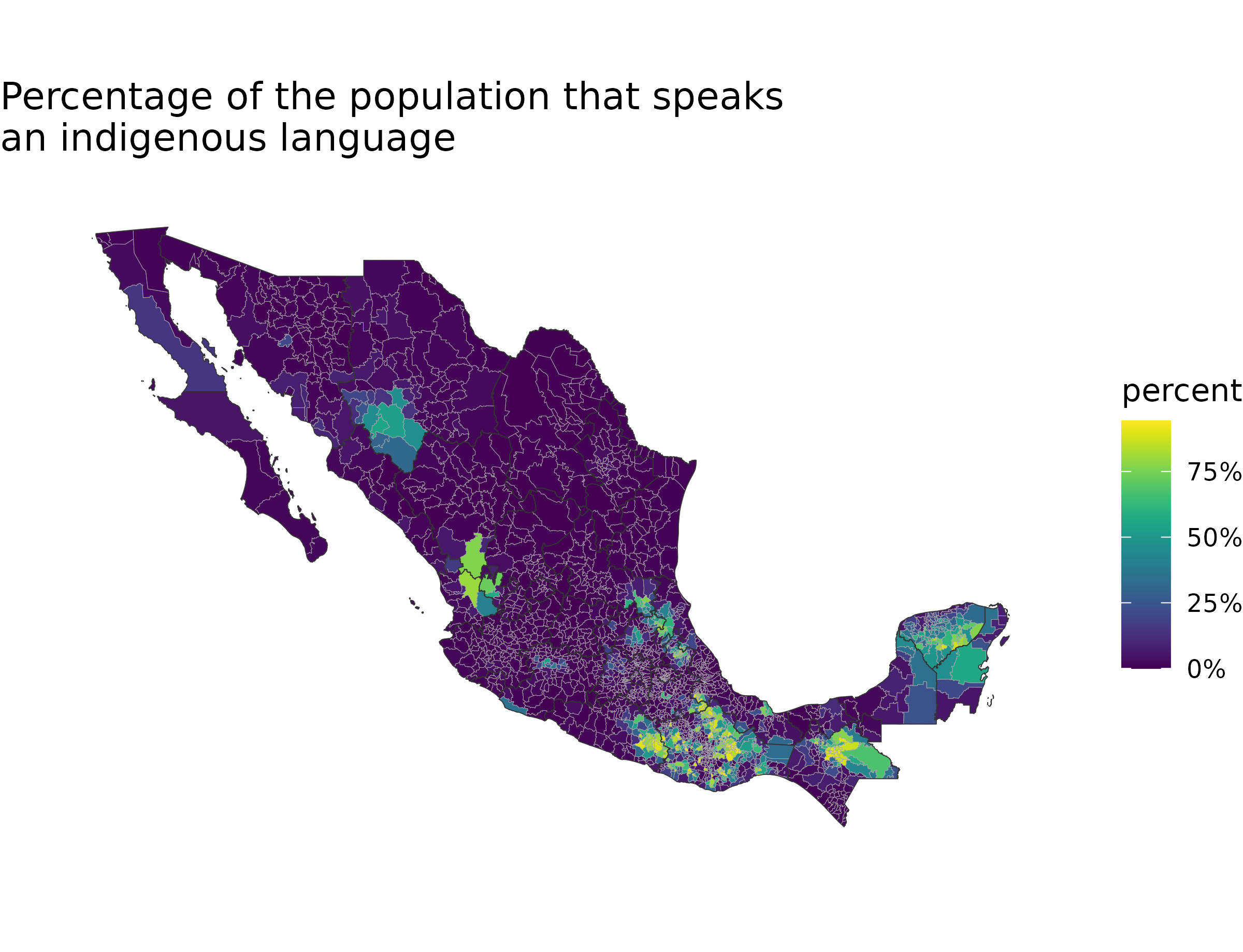
Categorical Data and Zooming
This example shows how to create a map with categorical data. The map
is zoomed in to show only the municipios in the states of Mexico and
Mexico City. The theme_void() function is used to create a
clean layout without axes or gridlines.
library("ggplot2")

df_mxmunicipio_2025$value <- as.factor(sample(c(NA, letters[1:6]),
  nrow(df_mxmunicipio_2025),
  replace = TRUE
))
gg <- MXMunicipioChoropleth$new(df_mxmunicipio_2025)
gg$title <- "Municipios a-f"
gg$set_num_colors(6)
gg$set_zoom(subset(df_mxmunicipio_2025, state_name %in% c(
  "Ciudad de México",
  "México"
))$region)
gg$ggplot_scale <- scale_fill_brewer("type",
  type = "qual", palette = 2,
  na.value = "gray"
)
p <- gg$render()
p + theme_void()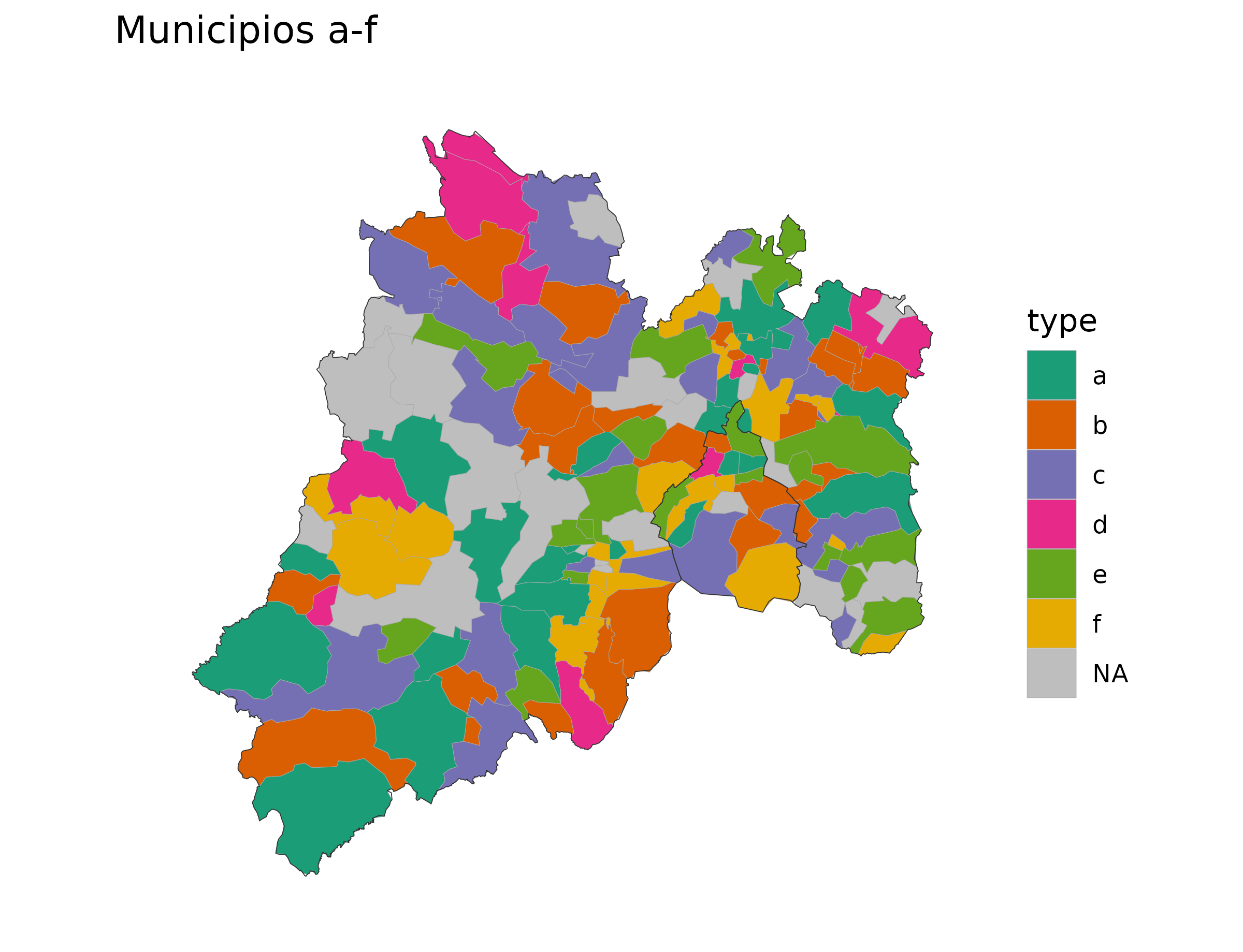
Removing Municipio Borders
The mxmunicipio_choropleth function returns a
ggplot object, which can be further customized. In this
example, the borders of the municipios are removed by directly modifying
the ggplot object.
library("scales")

df_mxmunicipio_2025$value <- df_mxmunicipio_2025$afromexican /
  df_mxmunicipio_2025$pop
p <- mxmunicipio_choropleth(df_mxmunicipio_2025,
  title = "Percentage of population that identifies as Afromexican",
  legend = "percent\nAfromexican",
  num_colors = 1
)
p[["layers"]][[1]][["aes_params"]][["colour"]] <- "transparent"
p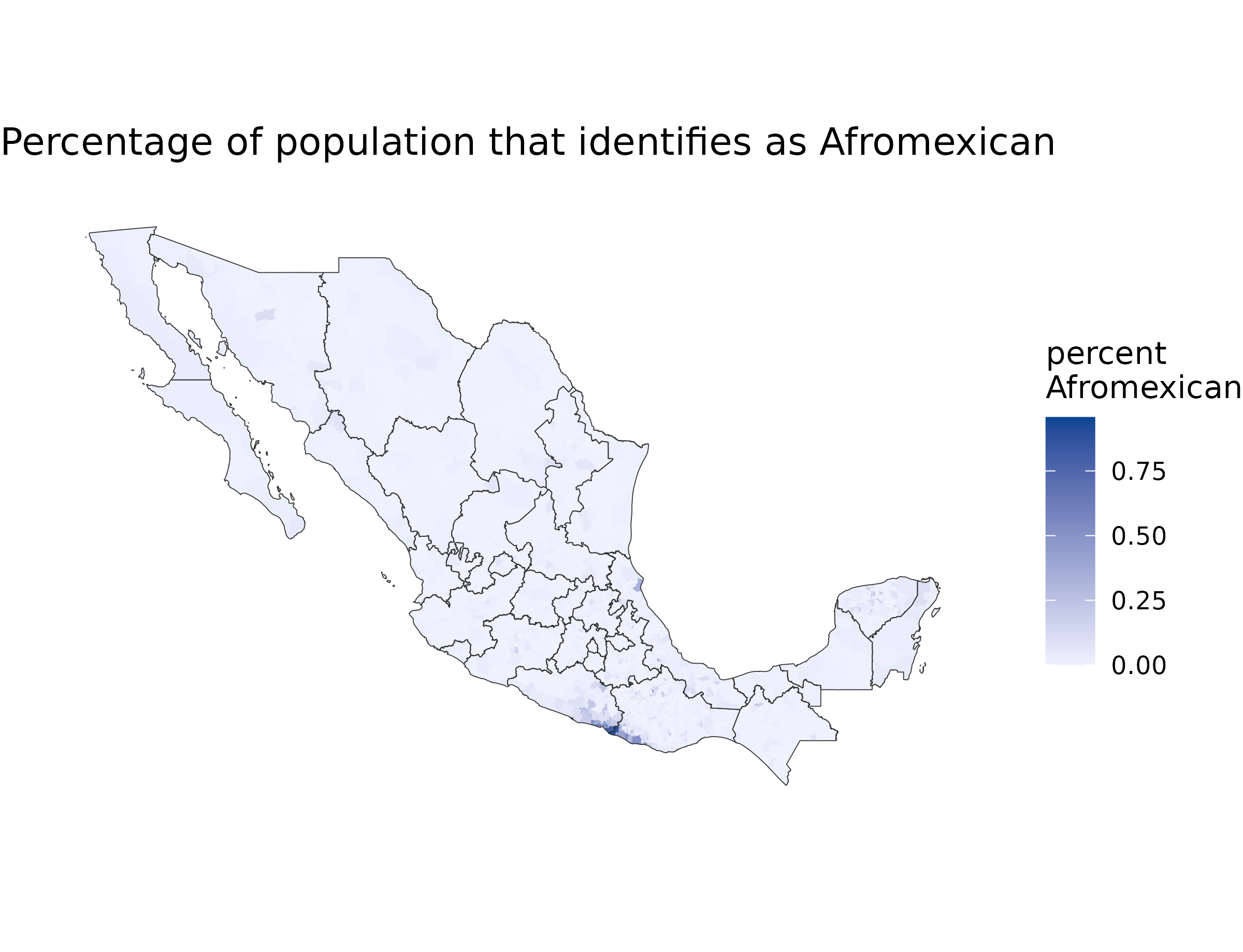
Adding Labels to a Map
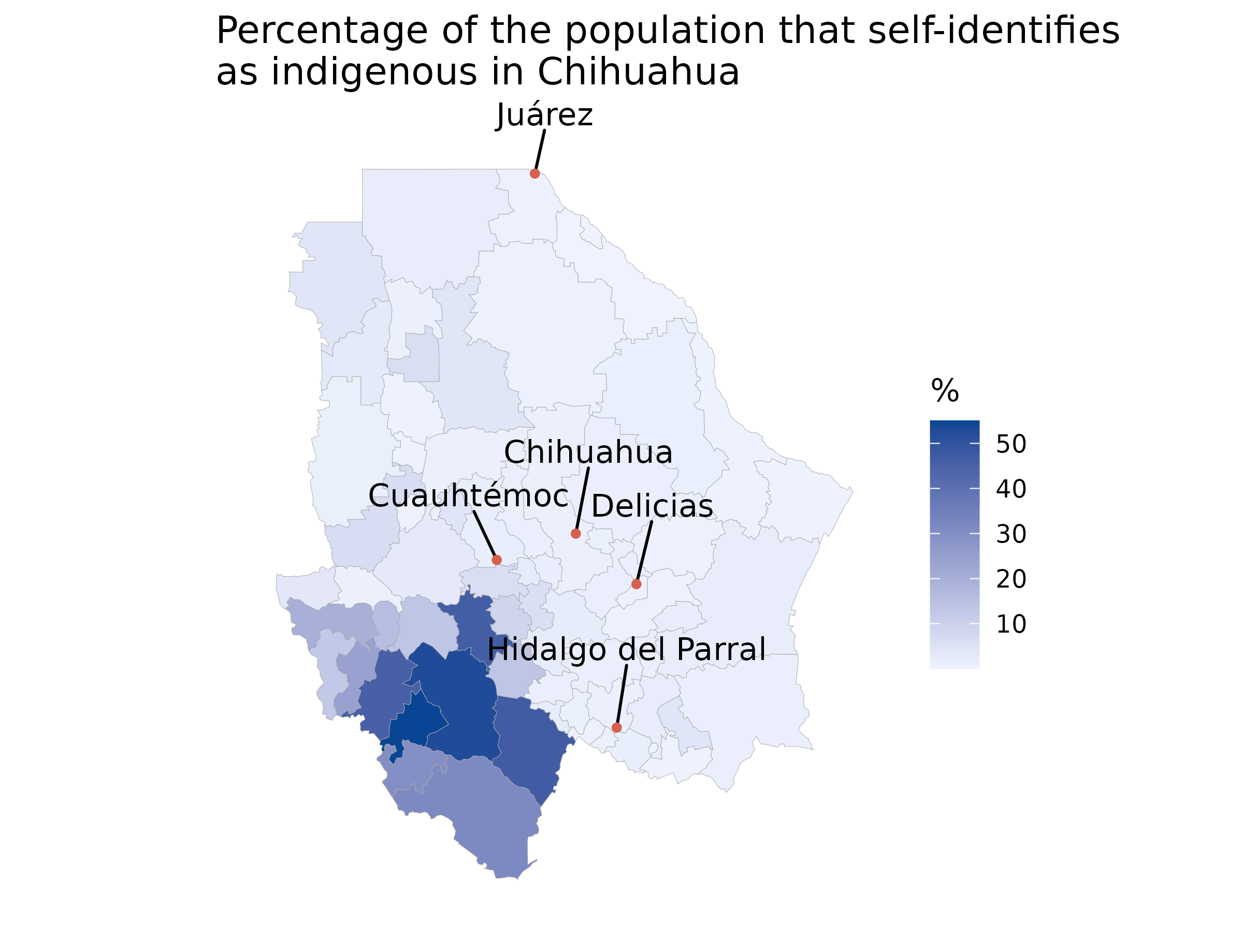
This example demonstrates how to add labels to the map to identify
important municipios. The map is zoomed in to the state of Chihuahua,
and labels are added for all municipios with a population greater than
100,000. The ggrepel package is used to prevent the labels
from overlapping.
library("ggrepel")

df_mxmunicipio_2025$value <- df_mxmunicipio_2025$indigenous /
  df_mxmunicipio_2025$pop * 100
chih <- subset(df_mxmunicipio_2025, state_name == "Chihuahua")
p <- mxmunicipio_choropleth(df_mxmunicipio_2025,
  num_colors = 1,
  zoom = chih$region,
  title = "Percentage of the population that identifies\nas indigenous in Chihuahua",
  show_states = FALSE,
  legend = "%"
)

labels <- chih
labels$group <- NA
labels <- subset(labels, pop > 1e05)
p +
  geom_text_repel(
    data = labels,
    aes(long, lat, label = municipio_name),
    nudge_x = 0.1,
    nudge_y = 0.7,
    color = "black",      # Color of the main text
    bg.color = "white",   # Color of the shadow/border outline
    bg.r = 0.15           # Radius/thickness of the shadow border
  ) +
  geom_point(
    data = labels,
    aes(long, lat),
    color = "#d6604d",
    size = 1
  )
Scale Bar
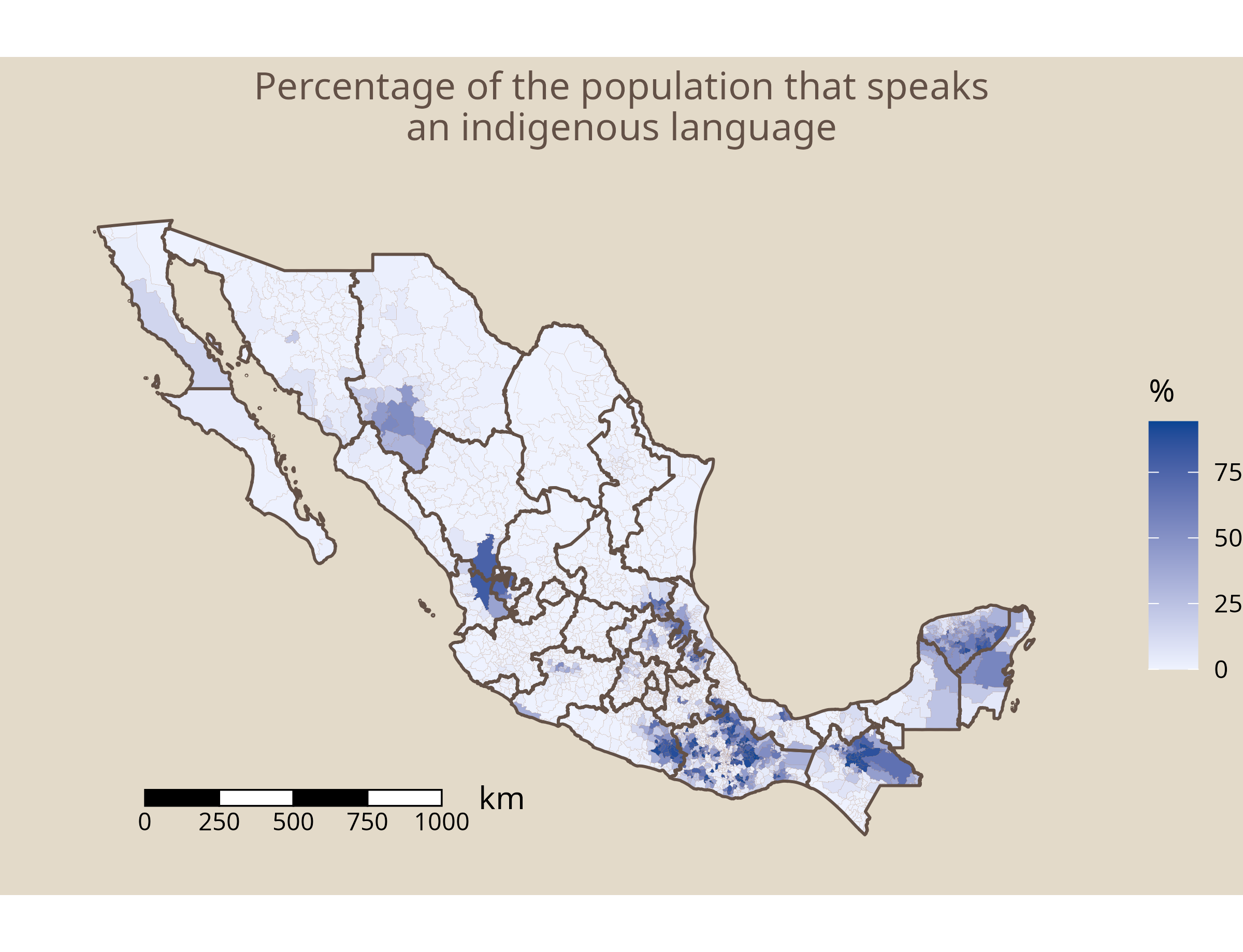
mxmaps can automatically add a scale bar to your map, making it
easier to interpret distances at a glance. The scale bar can be
customized through several parameters: scale_bar_position
controls where it is placed on the map (for example, "bl"
for bottom-left), scale_bar_length sets the total length
represented by the scale bar in kilometers,
scale_bar_segments defines how many divisions the bar is
split into, scale_bar_height adjusts its visual height,
while scale_bar_color and scale_bar_text_color
control the colors of the bar itself and its labels. For example,
scale_bar_position = "bl", scale_bar_length = 1000,
scale_bar_segments = 4,
scale_bar_height = 0.5,
scale_bar_color = "black",
scale_bar_text_color = "black" will place a 1000 km scale
bar with four segments in the bottom-left corner of the map using black
styling.
df_mxmunicipio_2025$value <- df_mxmunicipio_2025$indigenous /
  df_mxmunicipio_2025$pop * 100
mxmunicipio_choropleth(df_mxmunicipio_2025,
  num_colors = 1,
  title = "Percentage of the population that identifies\nas indigenous",
  scale_bar = TRUE,
  scale_bar_position = "bl",
  scale_bar_length = 1000,
  scale_bar_segments = 4,
  background_color = "#e3dac9",
  title_color = "#635147",
  municipio_border_color = "saddlebrown",
  municipio_border_size = 0.01,
  state_border_color = "#635147",
  state_border_size = .5,
  legend = "%"
)